moba4 Casino Mobile App
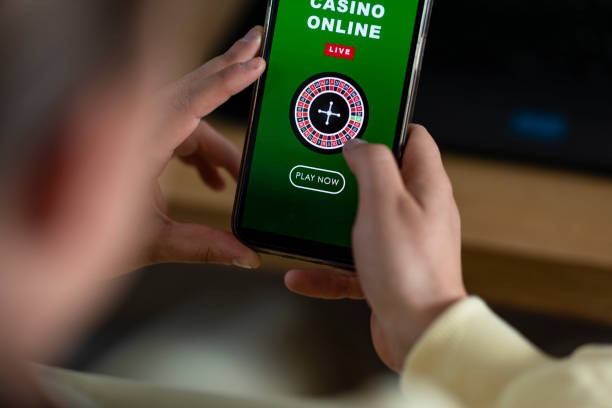
Getting moba4 on your phone starts with choosing your device type—Android or iOS—and following a straightforward installation path. We at moba4 have built our platform to work seamlessly on mobile, so whether you're in Jakarta, Surabaya, Bandung, or Medan, you can access live football, casino tables, and slot games from your pocket. Our mobile experience is optimized for speed, security, and ease of use, with all the same features available on desktop compressed into a touch-friendly interface.

- SHA256 Match
- DownloadAPK
- and
The moba4 app is available as an Android APK download or through your iOS browser. We do not distribute through Google Play or the Apple App Store, so you'll install directly from our platform. This direct installation gives us full control over security updates and feature releases, ensuring you always have the latest version of moba4 without delays from app-store review processes.
Our mobile-first design means account opening, KYC verification, deposits via DANA, e-wallet, mobile banking, local payment, online payment, e-wallet, and bank transfers, and live betting all happen on your phone. Push notifications keep you informed of match updates, game information changes, and withdrawal confirmations. Data usage is minimal—our app streams efficiently even on slower connections—and your account data is encrypted end-to-end.
Installation Paths for moba4
We at moba4 support three ways to access our platform on mobile: Android APK direct download, iOS browser access, and web-app bookmark. Each path is equally secure and offers the full moba4 experience. Choose the method that fits your device and preference.
Android APK
Direct download and install on Android 7 or later. Full app experience with offline cache and push notifications.
Download APKiOS Browser
Access moba4 through Safari on iOS 12 or later. Add to home screen for app-like experience without installation.
Open in SafariWeb App
Responsive web version works on any device. Bookmark for quick access to moba4 from your browser.
Open Web AppStep-by-step installation for Android
- Download the APK: Visit moba4.app on your Android device and tap the Android APK download button. The file will save to your Downloads folder.
- Enable unknown sources: Go to Settings → Security → Unknown Sources and toggle it on. This allows installation from sources outside Google Play.
- Install the app: Open your file manager, navigate to Downloads, and tap the moba4 APK file. Follow the on-screen prompts to complete installation.
- Open and register: Launch moba4, create your account with your email and password, and complete KYC verification with your ID document.
iOS installation via browser
iOS users access moba4 through Safari without needing to install an app file. Open Safari, navigate to moba4.app, and log in or register. To add moba4 to your home screen for quick access, tap the Share button, select "Add to Home Screen," and confirm. This creates an icon that launches moba4 directly, giving you an app-like experience without installation.
Mobile App vs. Browser Experience on moba4
The moba4 Android app and iOS browser access both deliver the same core features—live football betting on Liga 1 and Piala Indonesia, live-dealer blackjack and roulette, slot games like Aviator and Sweet Bonanza, and esports markets on Mobile Legends and Free Fire. The Android app, however, offers offline caching, which means you can view your account balance and recent bets even without an internet connection. Push notifications on the app alert you instantly when a match starts, when your withdrawal is processed, or when odds shift on your favorite markets. The app also loads slightly faster because it stores some data locally. Browser access is lighter on storage and works identically across devices; you simply refresh to see updates. Both paths support two-factor authentication, encrypted login, and the same withdrawal methods: DANA, e-wallet, mobile banking, local payment, online payment, e-wallet, mobile banking, local payment, online payment, and e-wallet.
Android App Strengths
- Offline cache for account data and recent bets
- Push notifications for matches, odds, and withdrawals
- Faster load times on repeat visits
- Dedicated app icon on home screen
Browser Access Strengths
- No installation required; works on any device
- Minimal storage footprint
- Automatic updates without manual intervention
- Works identically on iOS and Android
Device compatibility for moba4
We at moba4 support Android 7.0 and later on phones and tablets. The Android app requires approximately 50 MB of free storage. iOS users need iOS 12 or later to access moba4 through Safari; no minimum storage is required for browser access. Both platforms support landscape and portrait orientations, and our interface adapts automatically to your screen size. Older devices may experience slower performance, but moba4 remains functional on most phones released in the last five years.

Troubleshooting common installation issues
If you encounter an "Unknown sources" error on Android, ensure you've enabled installation from unknown sources in your device settings. If the APK file won't open, check that your device has enough free storage—at least 100 MB is recommended. On iOS, if moba4 won't load in Safari, clear your browser cache by going to Settings → Safari → Clear History and Website Data, then try again. If you see a certificate warning, this is normal for direct installations; tap "Continue" to proceed. If the app crashes on launch, restart your device and reinstall. For persistent issues, contact our support team via live chat or email, and provide your device model and operating system version so we can assist you quickly.
- APK file
- Android Package file containing the moba4 app. Downloaded directly from our site and installed manually on your Android device.
- Unknown sources
- Android security setting that allows installation of apps from sources other than Google Play. Required to install the moba4 APK.
- Push notification
- Alert sent to your phone by the moba4 app about match updates, odds changes, or account activity. Enable in app settings.
- Offline cache
- Data stored locally on your device so you can view your account and recent activity without an internet connection.
Data, permissions, and account security on moba4
The moba4 app requests permission to access your device's camera (for KYC document upload), microphone (for live-chat support), and location (optional, to verify your jurisdiction). We never use these permissions without your explicit consent. Your account credentials are encrypted and never stored in plain text on your device. We recommend enabling two-factor authentication in your moba4 account settings—this adds a second verification step when you log in from a new device. Your payment information is processed securely through our payment partners and is never stored on your phone. All communication between your device and moba4's servers is encrypted using industry-standard TLS protocols. If you lose your phone, log in to moba4 from another device and change your password immediately to secure your account.
Getting Started with moba4 on Mobile
Once you've installed moba4, your first step is account registration. Provide your email, create a strong password, and verify your email address. Next comes KYC verification: upload a photo of your ID (passport, driver's license, or national ID) and a selfie. Our verification team reviews these documents to confirm your identity and ensure you meet the minimum age requirement for your jurisdiction. This process typically completes within a few hours.
After verification, you can deposit using your preferred payment method. moba4 accepts DANA, e-wallet, mobile banking, local payment, online payment, e-wallet, and direct bank transfers via mobile banking, local payment, online payment, and e-wallet. Deposits are processed instantly, and your balance updates immediately. You can then explore our live football markets on Liga 1 and Piala AFF, try our live-dealer tables with professional blackjack and roulette, or spin slot games like Gates of Olympus and Fortune Tiger. Withdrawals are processed subject to verification windows and are returned to your original payment method.
Our moba4 support team is available via live chat, email, and in-app help to answer questions about installation, account setup, deposits, or technical issues. We encourage you to review our terms and privacy policy before opening an account. Our services are available only where local law permits, and you are responsible for verifying that access and use comply with your jurisdiction's regulations.
Mobile gaming on moba4 is built for convenience and security. Your account, your data, and your transactions are protected by the same standards we apply across all our platforms.
We continuously optimize the moba4 mobile experience based on user feedback. If you encounter any issues or have suggestions for improvement, reach out to our support team—your input helps us build a better platform.